

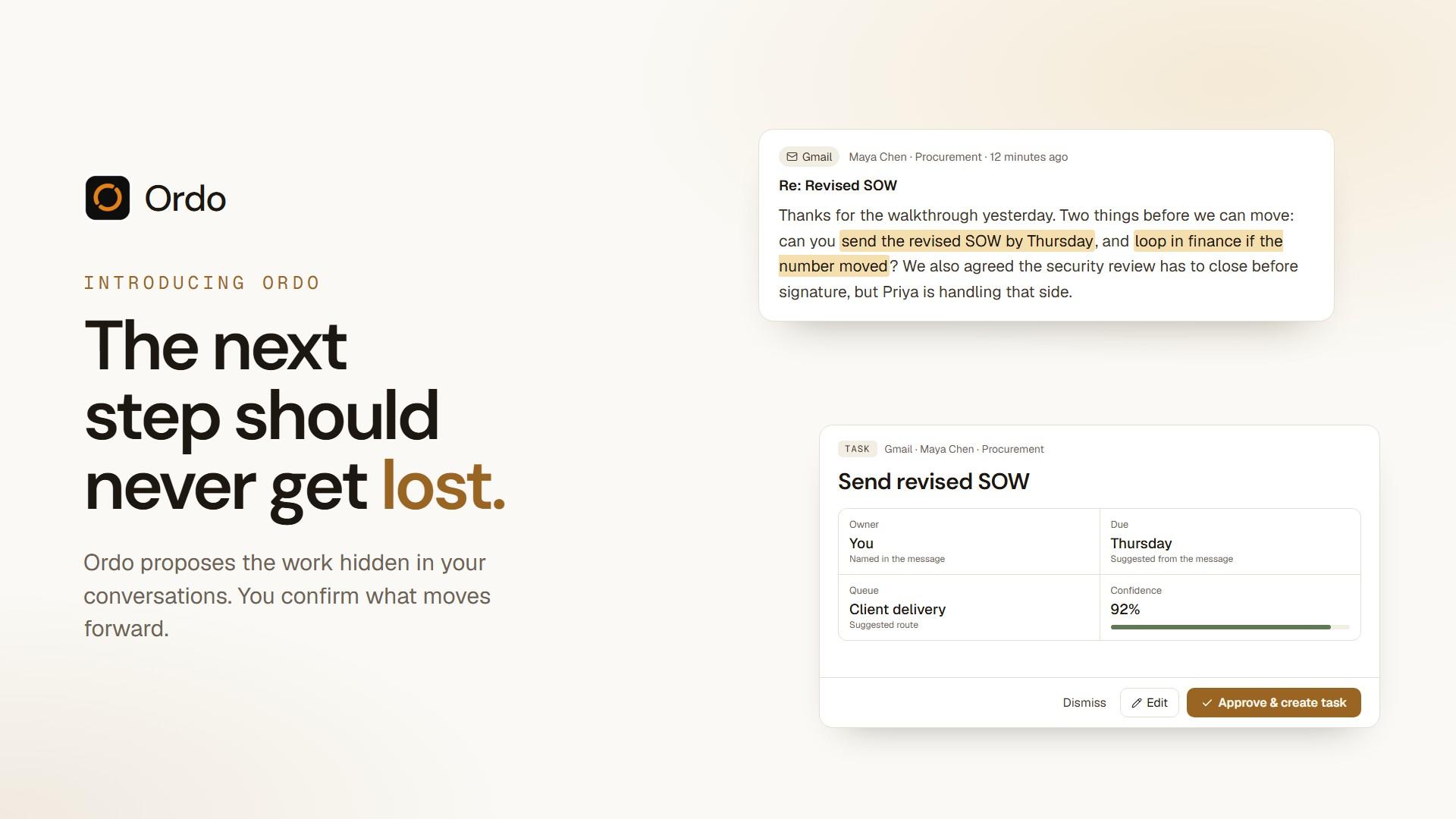
Someone asks for a revision. A date gets mentioned. An owner is assumed. Then the conversation moves on, and a week later nobody is sure who said they'd do what.
Work rarely gets lost because people forget. It gets lost because the next step never becomes visible. Today we're introducing Ordo to close that gap.
What Ordo does
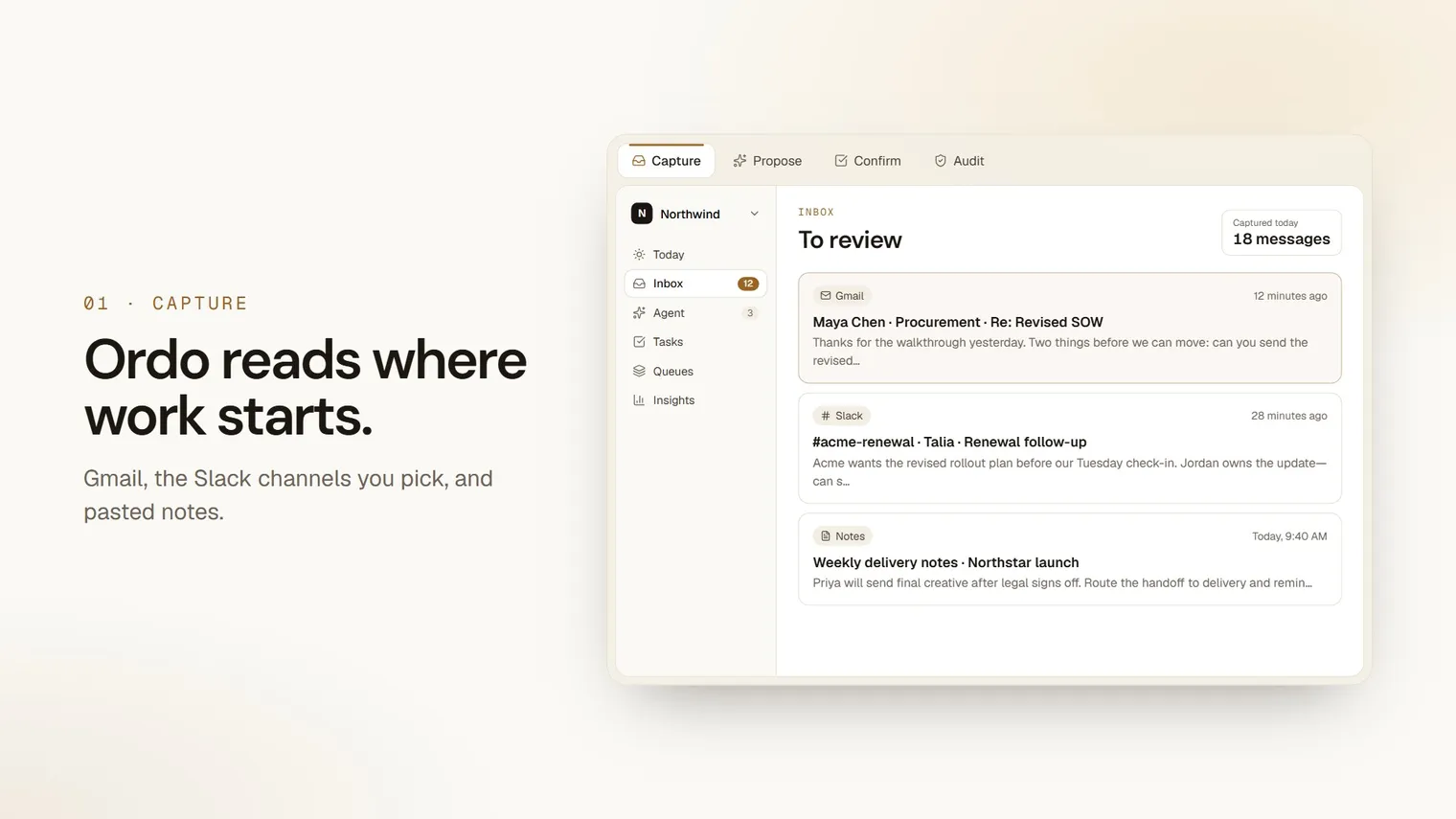
Ordo is the layer between communication and execution. People make commitments in the tools they already use: an email thread, a Slack message, a meeting note. Ordo reads those conversations and surfaces the work hidden inside them.
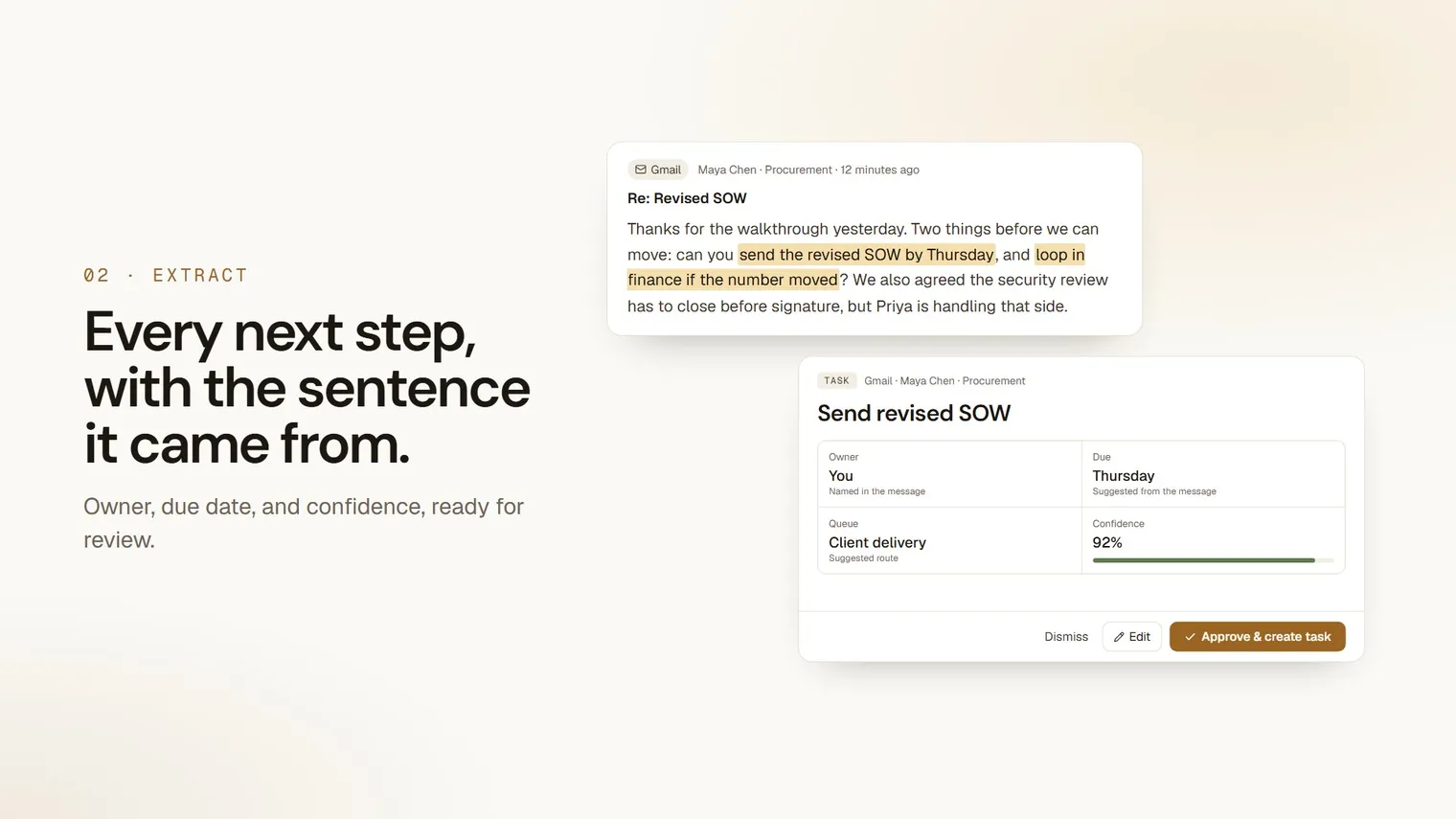
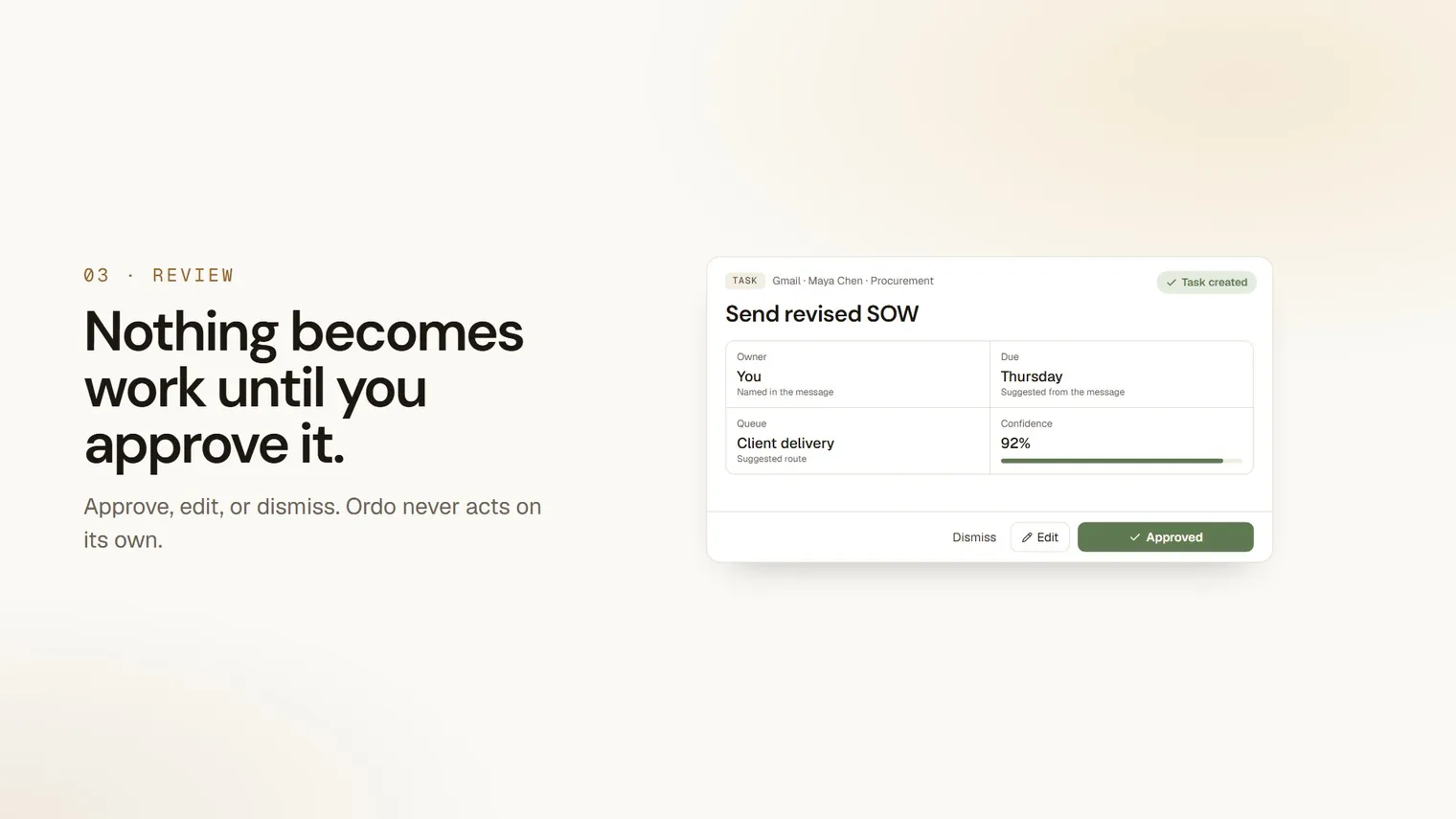
One message can hold several commitments. Ordo proposes each as its own next step, with a suggested owner, a due date, and the original words attached, so you never have to wonder where a task came from.
How it works
Captured. The original request stays in view, exactly as it was said.
Proposed. Ordo identifies the next step, who should own it, and when it's due.
Confirmed. A person decides what moves forward. Nothing becomes work until you say so.
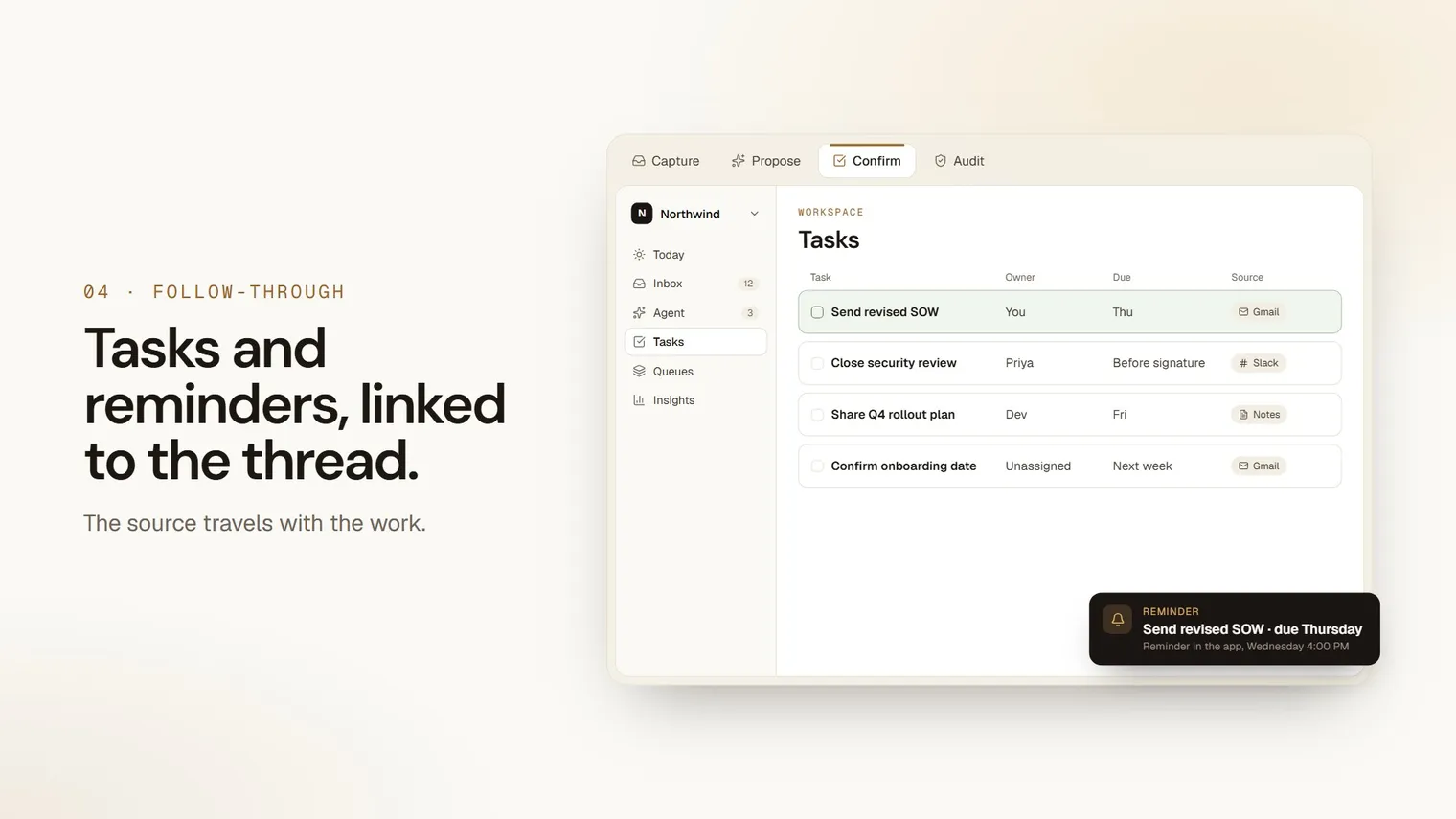
Follow-through. Confirmed work has a clear owner and a visible trail back to its source.
You stay in control
We don't think the answer is a system that acts on your behalf. Every next step in Ordo starts as a proposal, never as an action taken for you. You review it, adjust it if needed, and confirm it. That keeps Ordo trustworthy: it helps you notice the work and decide what matters, and it keeps a record of what you agreed to.
Where it works today
Ordo connects to the places work already starts. Gmail, Outlook, Slack, Microsoft Teams, GitHub, Notion, and pasted notes are live today. Meetings and other connectors are on the way, and you can request the ones you need.
What's next
We're building one careful step at a time: capturing commitments across more of your conversations, making review faster, and helping teams follow through without losing the thread their work came from.
If you've ever lost a promise in a busy inbox or a long thread, we built Ordo for you. Try Ordo, or browse our guides to see how to get set up.